
Download and launch the portable app
Window Me This is a Windows x64 ZIP, not an installer. Download the complete ZIP, extract all of its files into a folder, and run WindowMeThis.exe from the extracted folder. Keep the EXE and its accompanying files together; do not start it from inside the ZIP.
The full-feature 30-day trial begins the first time you open the app normally. You do not need an account, payment card, or license key to begin. Trial and layout data are kept locally for your Windows user.
Organize your first set of windows
- Open the applications you want to organize, then start Window Me This.
- Choose a display in the monitor map, then select a layout.
- Drag windows from Open windows into the layout’s zone cards. Or select rows in Open windows and choose a card’s + Add selected button.
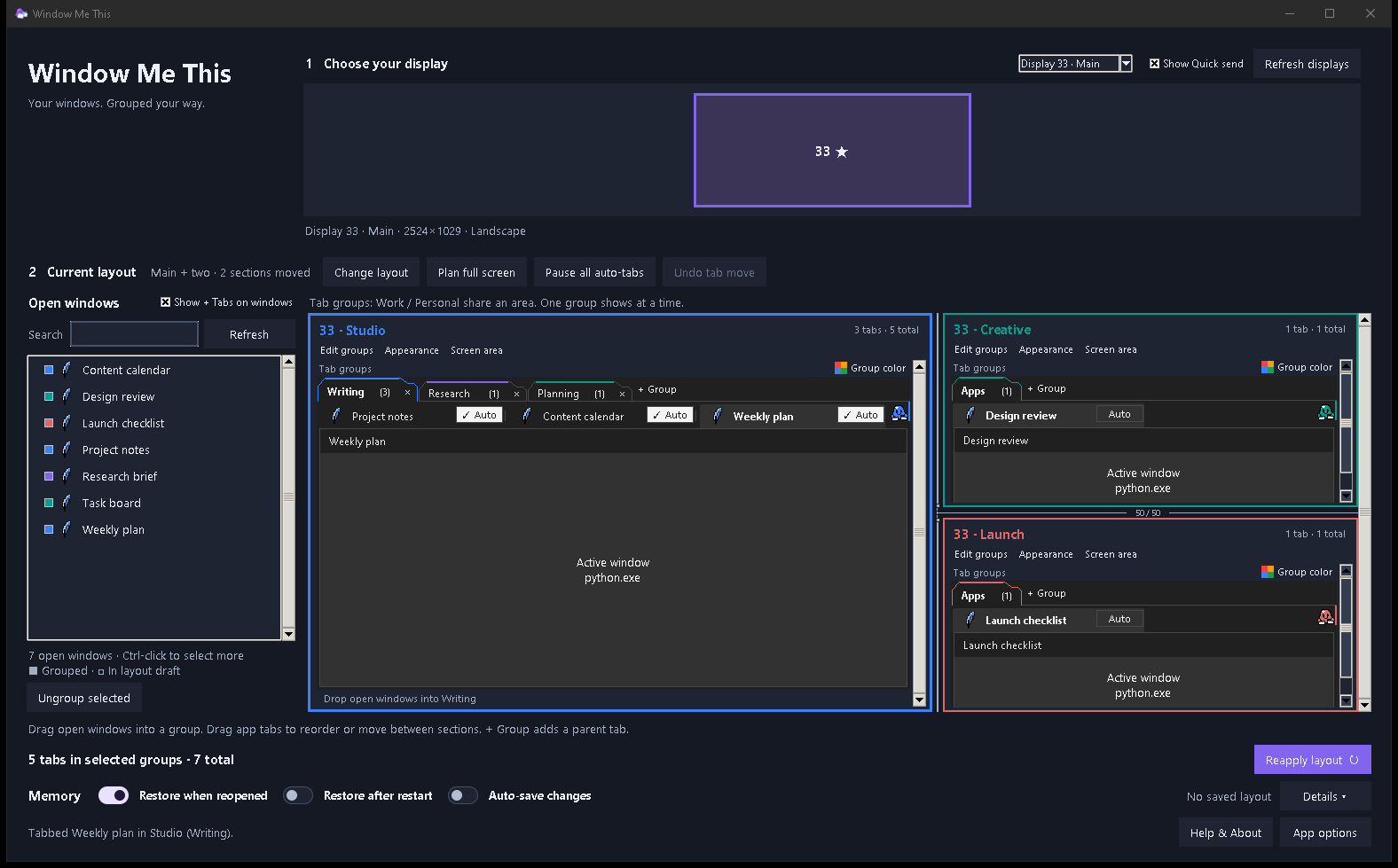
- When at least one window is assigned, select Deploy new groups. Your windows stay where they are while you prepare the draft; deployment places them into the layout.
After deployment, each section shows a Tab groups row. Choose + Group there to add a parent tab such as Work or Personal. Select a parent tab to switch groups, then choose an individual window tab to switch apps in that group. You can also drag a tab to reorder it or move it to another section.
If you want a low-stakes first look, open App options > Open sample windows. The sample windows are disposable; you can close the sample apps after trying the layout.
Trial, license, and compatibility
After the trial, a paid license is a one-time purchase with no renewal. Enter the key from your receipt in App options > License. Initial activation needs an internet connection. The app checks the license about weekly and can work offline for up to 30 days after a successful check; if that allowance expires, connect and select Recheck.
The published app was tested on Windows 10 Pro x64. The current portable build is unsigned, and clean Windows 11 coverage is not established. Some apps with fixed sizes, unusual focus behavior, or administrator privileges may need individual handling, so try the apps you rely on during the trial.
Install an update manually
Window Me This 1.0.4 and later can check for an available release once a day when automatic checks are enabled. You can also select Updates or Help & About > Check for updates. The notice opens the download and release notes; it does not replace the app files.
To update, exit Window Me This, extract the entire new ZIP into a fresh folder, and launch the EXE there. Keep the extracted files together. Your layouts, trial, and license stay separate from the app folder on the same Windows user account.